

Navigating "Your invoices" for Pay by Invoice


If you've ever found yourself drowning in a sea of invoices, desperately searching for that one payment detail, or spending hours reconciling accounts payable—we have good news. Amazon Business just rolled out a completely redesigned "Your invoices" page for Pay by Invoice customers, and it's about to make your financial management life a whole lot easier.
This new centralized hub is designed to give you back control (and maybe even some of your sanity). Whether you're an accounts payable administrator juggling multiple departments or a finance manager trying to keep everything reconciled, this update is built with you in mind.
Get a good look at the Your invoices page
First things first—let's get you to where all the magic happens. Accessing your new invoicing hub is straightforward:
To get to Your Invoice’s page:
- Hover over Hello, [Name] on the navigation bar in top right corner
- Click Business Settings
- Within the Billing & Shipping section, click Your invoices by Pay by Invoice
What makes this update a game-changer?
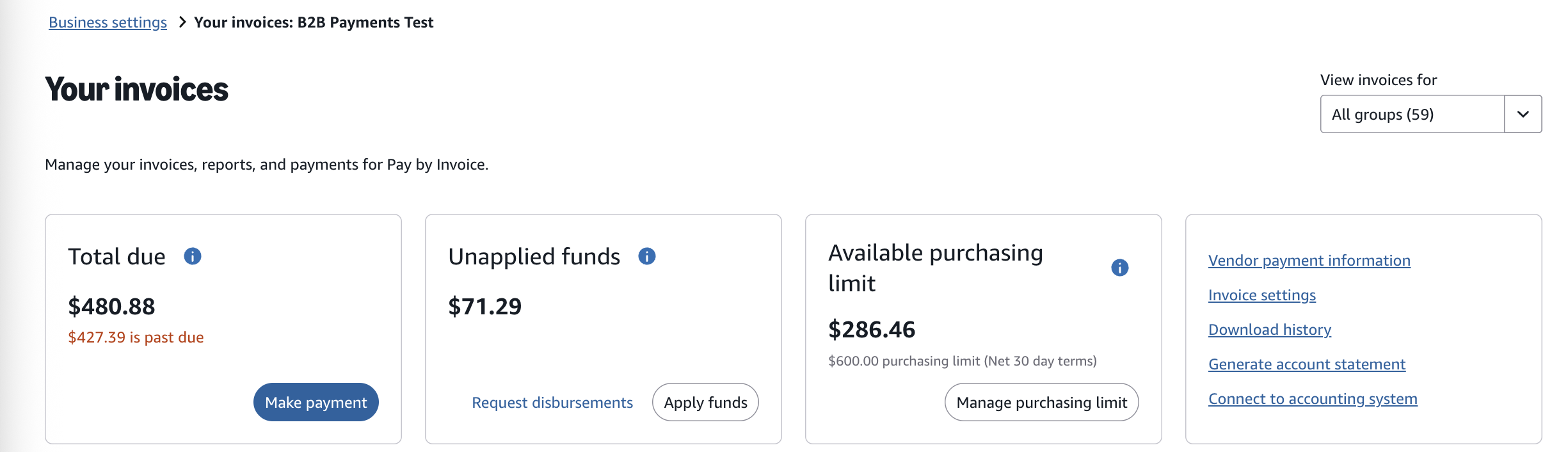
Think of the new Your invoices page as your accounts payable control tower. Everything you need is now visible at a glance—no more clicking through multiple pages or toggling between screens to find basic information.
Real-time visibility that actually matters
Your dashboard now displays the metrics that keep you up at night (in a good way):
- Total amount due
- Available unapplied funds
- Available purchasing line amount
Plus, you'll find direct links to your most frequently used accounts payable actions right there on the main page. For business administrators, this means taking action in seconds instead of minutes—and those minutes add up to hours saved during reconciliation.
Customization: Because one size doesn't fit all
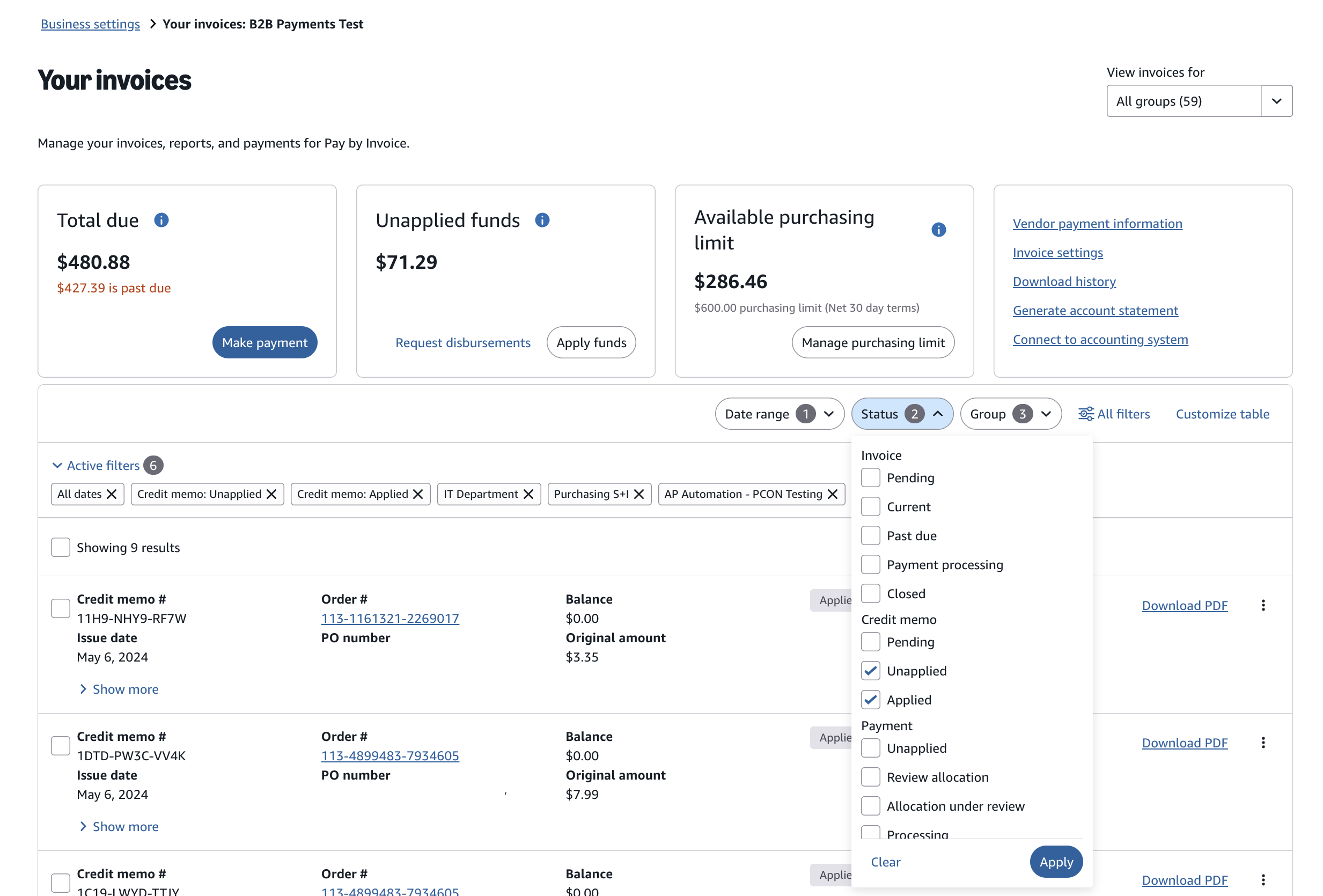
Sometimes different teams need different views of invoicing data. The new invoice page allows you to populate invoices by selecting a date range, status or groups, giving your team the highest visibility and the most granular details in one place.
Expanded Group-level controls
Pay by Invoice has added more Group-level visibility with customizable billing view for each group. You can now assign specific accounts payable contact information and notifications per department or group. Giving your business the centralized oversight with delegated control you need to run more efficiently.
Download account statements anytime
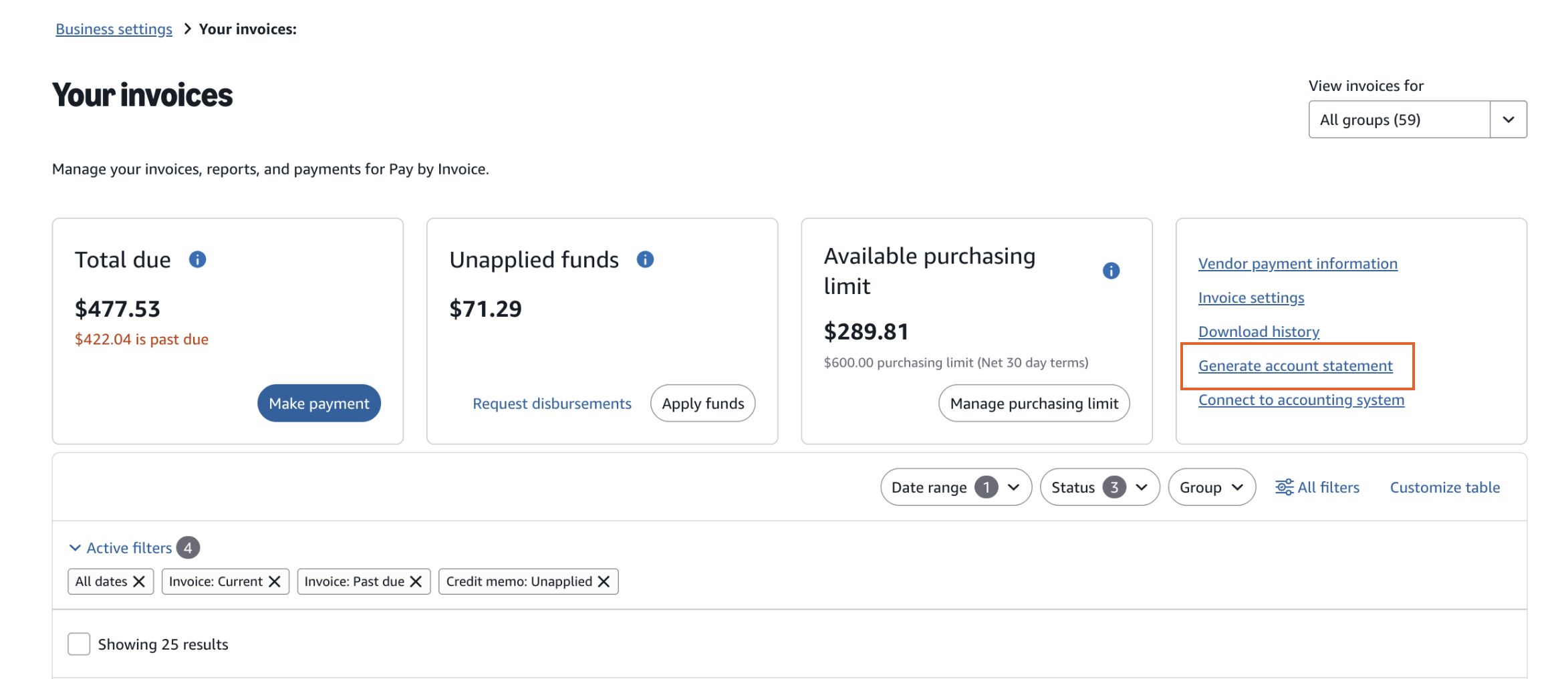
No need to wait until month-end to download an account statement. Simply click Generate account summary link on the Your invoice’s dashboard.
What you’ll find in your account statement:
Account statements will download as an excel file with three essential tabs:
1. Summary Tab
- View upcoming transactions
- Monitor aging transactions
- Track your financial position in real-time
2. Open Transactions Tab
- Access specific invoice details
- View transaction status
- Monitor payment processing
3. Remittance Template Tab
- Access external payment instructions
- View example templates for reference
This is particularly valuable when you need to provide documentation to auditors, reconcile with your ERP system, or just get a comprehensive view of your account status.
An easier way to allocate your payments
Pay by Invoice's new self-service payment allocation tool makes paying your invoices easier than ever. This isn't just another payment system—it's a complete solution that puts accounts payable administrators and finance teams in total control. You can assign payments, review allocations, and update details whenever necessary.
- Receive automated email notifications for transactions requiring review
- Review and correct payment allocations instantly
- Upload and update allocation details via Excel template
- Modify allocation details directly on the website
How to use the Payment Allocation tool
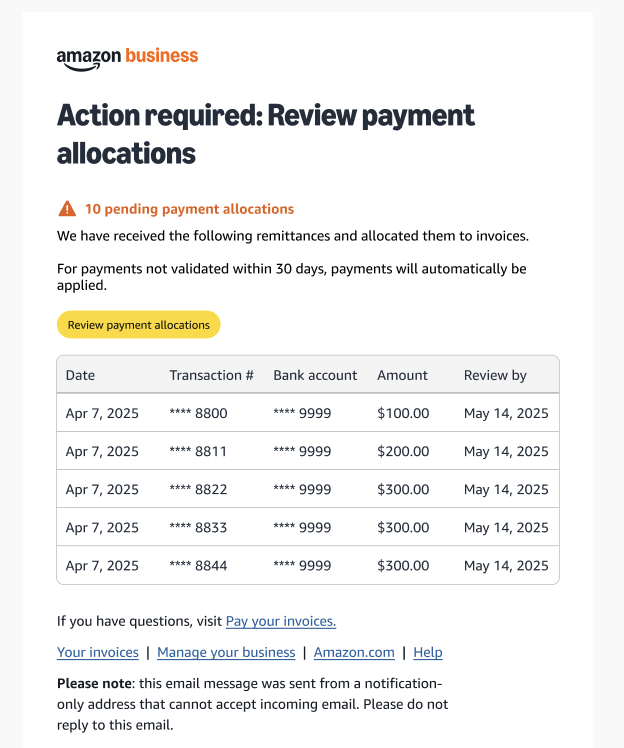
Email Notification Route
- When you receive a notification email, click the Review Payment Allocation button within the email
- Review, modify, and confirm any allocations using the self-service tool or Excel upload method
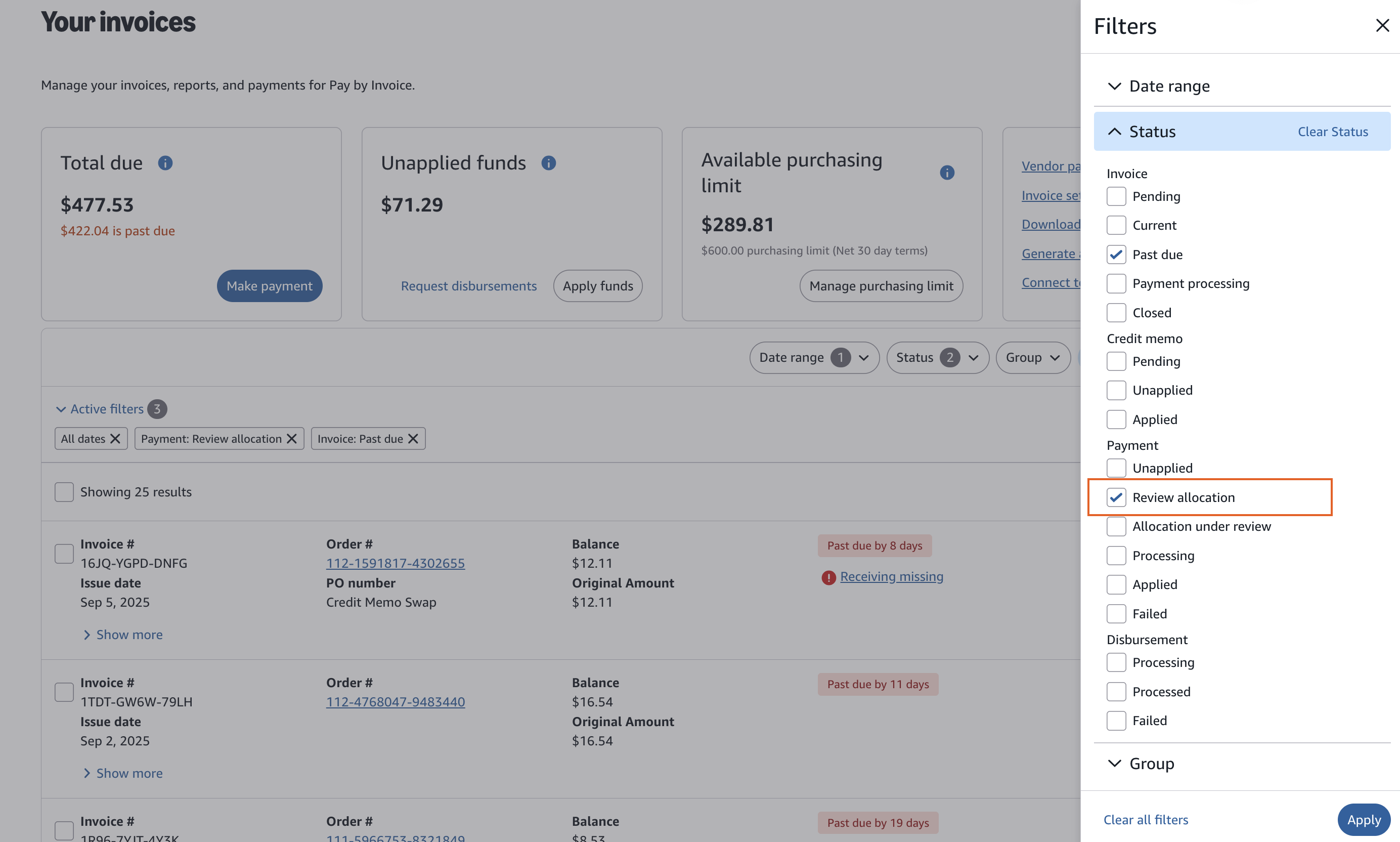
Direct access through Your Invoices page
- Hover over Hello, [NAME] in the upper right hand corner of your home page
- Select Your invoices within Billing & Shipping
- Click All filters within the customization bar
- Click the Status section within the fly-out
- Select Review allocation
Save time, gain control
The redesigned Your Invoices page isn't just a facelift—it's a fundamental improvement in how you manage your Amazon Business transactions. With streamlined features, powerful new tools, and intuitive navigation, you can reduce processing time while maintaining (or even increasing) your oversight of the accounts payable process.
Learn more about the Your invoices page
*Pay by Invoice is an invite-only invoice solution available to eligible Amazon Business customers. Contact your Amazon Business account executive for specific details about your account or visit Pay by Invoice help page for more information.
Was this helpful?




 United States
 India
India United Kingdom
 France
 Germany
 Spain
Spain Italy
Italy Canada
 Japan
Japan Mexico
 Australia


